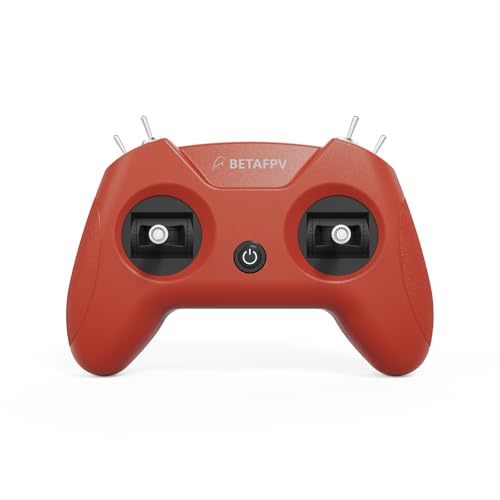
STARDRONE S8 RC Flight Simulator Controller- 8 Channels FPV Drone
Games Remote Controller Support Popular System&Platform- Ideal for Beginner Pilots Professional Training Experience(Mode 2, Grey)USD $39.99
Condition : NEW
Free Shipping
{{variant_type_name}} :

Notify me when the price drops
We will email you if we find a lower price on this product!
- 【Non‑Centering Throttle & Immersive Flight】The S8 Pro fpv simulator controller is equipped with high‑precision joysticks for smooth, lag‑free control. It adopts a non‑centering throttle and 1:1 real‑drone button layout (the left stick does not return to center when moving up and down, which is a professional design, not a product defect). It helps users build natural muscle memory for a seamless transition from simulation to real flight. The S8 controller truly restores the real FPV flight feel without the risk of crashes or equipment damage in real life. It is suitable for FPV beginners to practice from entry level and gradually grow into professional pilots
- 【4 Freely Switchable Modes】The S8 Pro remote controller supports Windows systems, and is fully compatible with all mainstream FPV and RC flight simulators to deliver a seamless cross-platform training experience for pilots of all skill levels.Yellow light mode works universally for the Steam platform, supporting Liftoff, DRL, Uncrashed, VelociDrone, RealFlight Evolution, DCL, TRYP FPV and FPV Worldwide. Purple light mode is for Aerofly RC 10. Green light mode is for DJI Virtual Flight. Blue light mode is for Phoenix RC 5 / 5.5 / 6.0
- 【Plug & Play · User-Friendly Design】The S8 Pro controller requires no power button or built-in battery. It powers on automatically via a USB‑C connection, and the indicator light illuminates to confirm a successful connection. Fully compatible with Windows systems, it can be automatically recognized by simulator software for true plug-and-play convenience. Pilots can easily configure and fine-tune various parameters to achieve more efficient and precise flight control. NOTE: Only supports connection to a PC with the included USB cable. Wireless Bluetooth connection to a PC is NOT supported
- 【Ergonomic Design for More Comfortable Grip】The controller adopts an ergonomic structure, and its curved body fits the palm perfectly. The non‑slip texture on the grip ensures a firm hold without slipping, suitable for teenagers and adults. With realistic tactile calibration and smooth body lines, it provides a comfortable, pressure‑free grip and instant control response, bringing a smooth and realistic flight simulation experience. With a simple and stylish appearance, it is an ideal gift for birthdays, Christmas, and other occasions
- 【Calibration Guide】Briefly press the central function button and release, then hold for 3 seconds until the blue indicator flashes rapidly to enter calibration mode. Push the throttle stick to the maximum and minimum positions and hold, keep other joysticks centered, and wait for the indicator to stay solid to complete calibration. If calibration fails, repeat the process or reconnect the controller
- 【Package Contents 】1 × S8 Pro Drone Simulator Controller (Mode 2), 1 × USB‑C Cable, 1 × User Manual (with detailed connection and usage guides for mainstream simulators)
- Color: Grey
- Weight: 0.220462262

Price type
IN STOCK
OUT STOCK







 .
.
